

Model Performance Analysis
This section describes how to use the hb_compile tool provided by Horizon to evaluate the model performance.
Meanwhile, we also provide an API interface that you can call for model performance analysis.
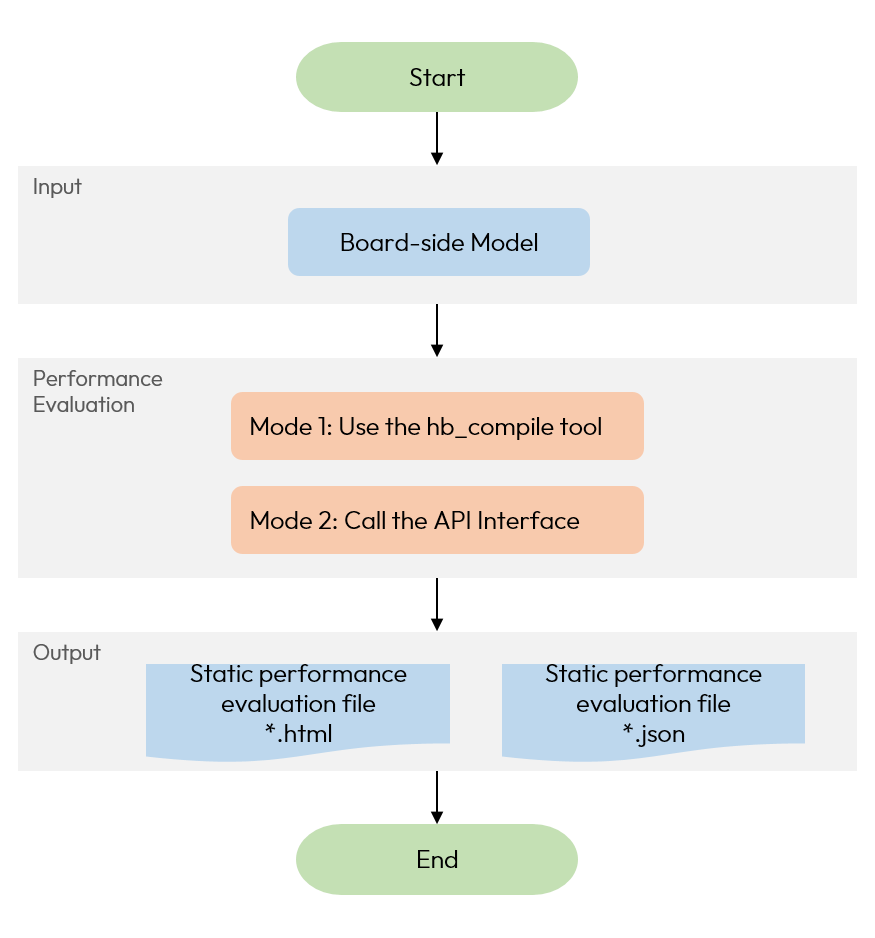
Use thehb_compile tool
The hb_compile tool provided by Horizon supports the model conversion, for the usage of the tool and the related specific configurations and parameters,
please refer to the Model Quantized Compilation.
After the model conversion completed, the model static performance evaluation files(the model.html with the better readability and the model.json) of the BPU part of the model predicted by the compiler will be generated under the working_dir path specifed by the yaml file.
Call the API Interface
You can also call the API interface for model analysis(For API interface description, you can refer toHBDK Tool API Reference). The reference commands are listed below:
Please note that this model.hbmis for example only, for actual use, please replace it with the correct path of the model you are using.
Upon successful execution, basic information such as model FPS will be printed within the terminal, and at the same time, a static performance evaluation file for the model will be generated in the directory where the API interface is currently called:
You can select either the model.html or the model.json to view the static performance data for the BPU part.
If you need to specify the path to the static performance evaluation file, you can refer to the following command:
If you configure the development board parameters when calling hbm_perf, it will remotely connect to the development board for performance evaluation,
and similarly generate the performance evaluation file for the model in the directory where the current API interface is called.
In the performance HTML file, you can see the Timeline tab. All metrics in the tab are as follows (the actually displayed metrics are related to the configuration):
Some of the metrics included in the Timeline tab are as follows:
-
TAE: Tensor Acceleration Engine. It is an engine module in the BPU that is responsible for accelerating Tensor computations. It mainly takes charge of various convolution (conv) computations and can also support some Matrix computations.
-
VAE: Vector Acceleration Engine. It is an engine module in the BPU that is responsible for accelerating Vector computations. It mainly handles various element-wise operation operations in neural networks, such as A + B, A * B, and Look-Up Table (LUT) computations.
-
AAE: Auxiliary Acceleration Engine. It is an engine module in the BPU that is responsible for accelerating auxiliary computations. It mainly focuses on providing auxiliary acceleration for computations other than tensors, vectors, and scalars, such as functions like Pooling, Resize, and Warp computations.
-
VPU:Vector Processing Unit. It is a unit within the BPU responsible for vector computation, more flexible than VAE, with lower computing power than VAE.
-
SPU:Scalar Processing Unit. It is a unit within the BPU responsible for scalar computation.
-
TRANS: It is a computing unit in the BPU that is used to handle data layout transformations.
-
STORE: It means writing data from the internal cache/register to the memory (or outside the computing platform).
-
LOAD: It means loading data from the memory (possibly outside the computing platform) into the on-computing-platform cache.