

OpenExplorer Introduction
What is OE
OE is the abbreviation of OpenExplorer, which is an full lifecycle development platform based on D-Robotics' computing platform.
It mainly includes three functional modules: model compilation optimization toolset, algorithm warehouse and application development SDK. The application reference solutions developed based on these three functional modules provide case supports for smart IoT and other industry solutions.
OE provides Horizon partners with rich and diverse algorithm resources, flexible and efficient development tools, and easy-to-use development frameworks. The features and advantages of OE are as follows:
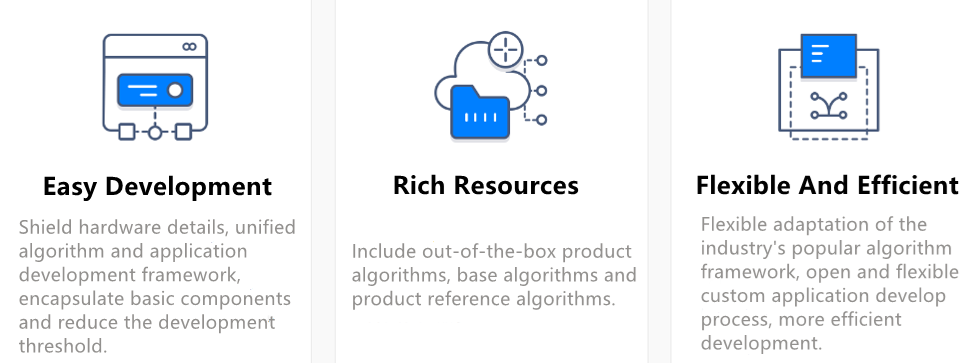
To help you deploy various solutions to a series of Horizon dev boards, we provide a full-volume development package, called OE package, which integrates the development environment deployment, application reference solution sample code, user manuals, etc. After you get the OE package, you can first follow the steps below to understand the OE:
-
First refer to Release Content for the directory structure of the release package.
-
Then refer to Environment Deployment for the development environment and runtime environment deployment.
-
Next, refer to Post-training Quantization (PTQ), Quantized Awareness Training (QAT) and Embedded Application Development to complete the entire process of model conversion and deployment.
For more tutorials on using the OE package, please refer to the instruction manual below. We believe Horizon's OE package can make your development more efficient and easier!
Release Content
package
The package directory contains some base libraries and components for the distribution to run.
samples
The samples contains ai_toolchain, model_zoo and ucp_tutorial.
- ai_toolchain provides a series of samples of some model algorithms (horizon_model_train_samples: samples of floating-point model training frameworks; horizon_model_convert_sample: a conversion sample for floating-point to fixed-point models; model_zoo: a model library that is used to place the original model and runtime model for the toolchain sample model compilation).
- model_zoo, soft link points to the model_zoo path in the ai_toolchain folder.
- ucp_tutorial, the UCP samples package, which provides the necessary dependencies for UCP and related samples.
resolve_all.sh
Script for automatically downloading all downloadable dependencies within the OE package.
Running this script will sequentially download the following:
-
Execute
resolve_ai_benchmark_ptq.shunder thesamples/ai_toolchain/model_zoo/runtime/ai_benchmarkpath to download the hbm model used on the board. -
Execute
resolve_ai_benchmark_qat.shunder thesamples/ai_toolchain/model_zoo/runtime/ai_benchmarkpath to download the hbm model used on the board. -
Execute
resolve_runtime_sample.shunder thesamples/ai_toolchain/model_zoo/runtime/basic_samplespath to download the hbm model used on the board for the corresponding sample. -
Execute
resolve.shunder thesamples/ucp_tutorial/dnn/basic_samples/code/path to run the dependency acquisition script for the basic_samples package. -
Execute
resolve.shunder thesamples/ucp_tutorial/dnn/ai_benchmark/code/path to run the downloading model performance evaluation dataset script for AI Benchmark sample package. -
Execute all the
00_init.shscripts in thesamples/ai_toolchain/horizon_model_convert_samplefolder to download the calibration dataset and the original model for the sample.
run_docker.sh
In case the evaluation dataset and the required docker download for the OE package are completed, you can use the command sh run_docker.sh {dataset path} to automatically mount the OE package and start the docker.